

Do you want to change operating system and try Linux , but are you afraid of the unfamiliar environment and complicated commands?
Anduin Xue, software engineer at ecosystem, created the solution. AnduinOS is a open-source distribution based on Ubuntu, which “disguises” itself as Windows 11 to make your transition a breeze. The new AnduinOS 2.0.5 version is here, bringing significant installation improvements, ARM64 support, and a sleek Fluent design that will make you feel right at home.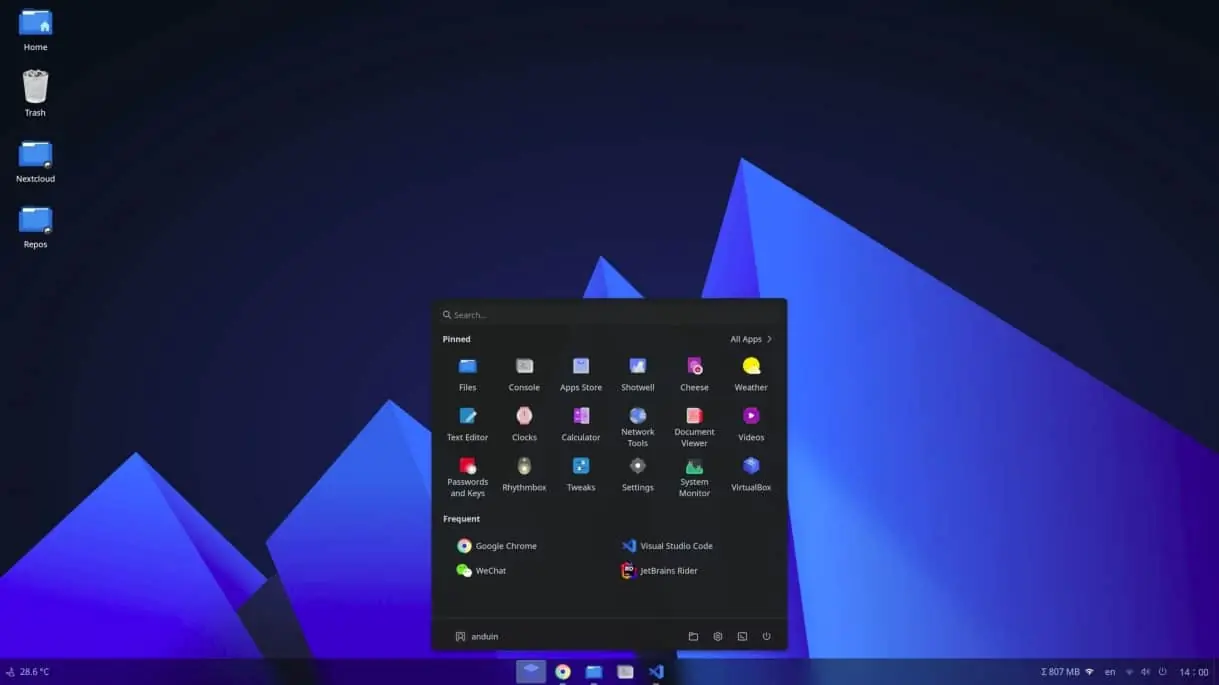
AnduinOS is an open source Linux distribution based on Ubuntu and designed to closely resemble Windows 11 in appearance and workflow.
It is based on Ubuntu and uses a customized GNOME desktop environment. It was created by Anduin Xue, a software engineer at Microsoft, and its goal is to ease the transition of users from Windows to Linux by eliminating the fear of unfamiliar interfaces or the terminal.
It supports the use of Flatpak packages for easy installation of programs and supports 64-bit systems exclusively.
AnduinOS 2.0.5 release focuses on improving the installation process, customizing the desktop, and enhancing the day-to-day reliability of the system.
The main changes and additions include:
• Coding-Agent at the Welcome Center: Added an optional option to quickly set up a coding agent on first launch.
• Disk Adaptation (ext4): The installer now supports shrinking existing ext4 partitions, making dual-booting easier.
• Keyboard Selection: You can now select your language and keyboard layout before connecting to Wi-Fi during initial setup.
• ARM64 support: The new boot stack has been extended to devices with ARM64 architecture.
• New GNOME Appearance Profile: A new style has been added for even greater customization of the graphical environment.
• Fluent Styling: The unlock screen has acquired the modern Fluent design style.
• Live USB debugging: Resolved issues with persistent system booting via Live USB.
• GNOME Dash & Firewall: Fixed hidden refresh errors in the GNOME Dash, as well as an issue where Firewall would start without the correct language translation.
• Secure Boot: Fixed a misleading indication regarding the status of Secure Boot.
Note: Changes related to the installer require downloading the new ISO file of version 2.0.5, while already installed AnduinOS 2 versions receive the remaining package updates normally via APT.
Download ISO
https://cf.anduinos.com/AnduinOS-2.0.5-amd64.iso



0 reviews
iGuRu.gr