

It seems that the Hellenic Anti-Doping Agency has not learned from its mistakes. It has issued another decision that “closes” Subs4free .com along with other well-known websites, but users with a small change in DNS can still see them.
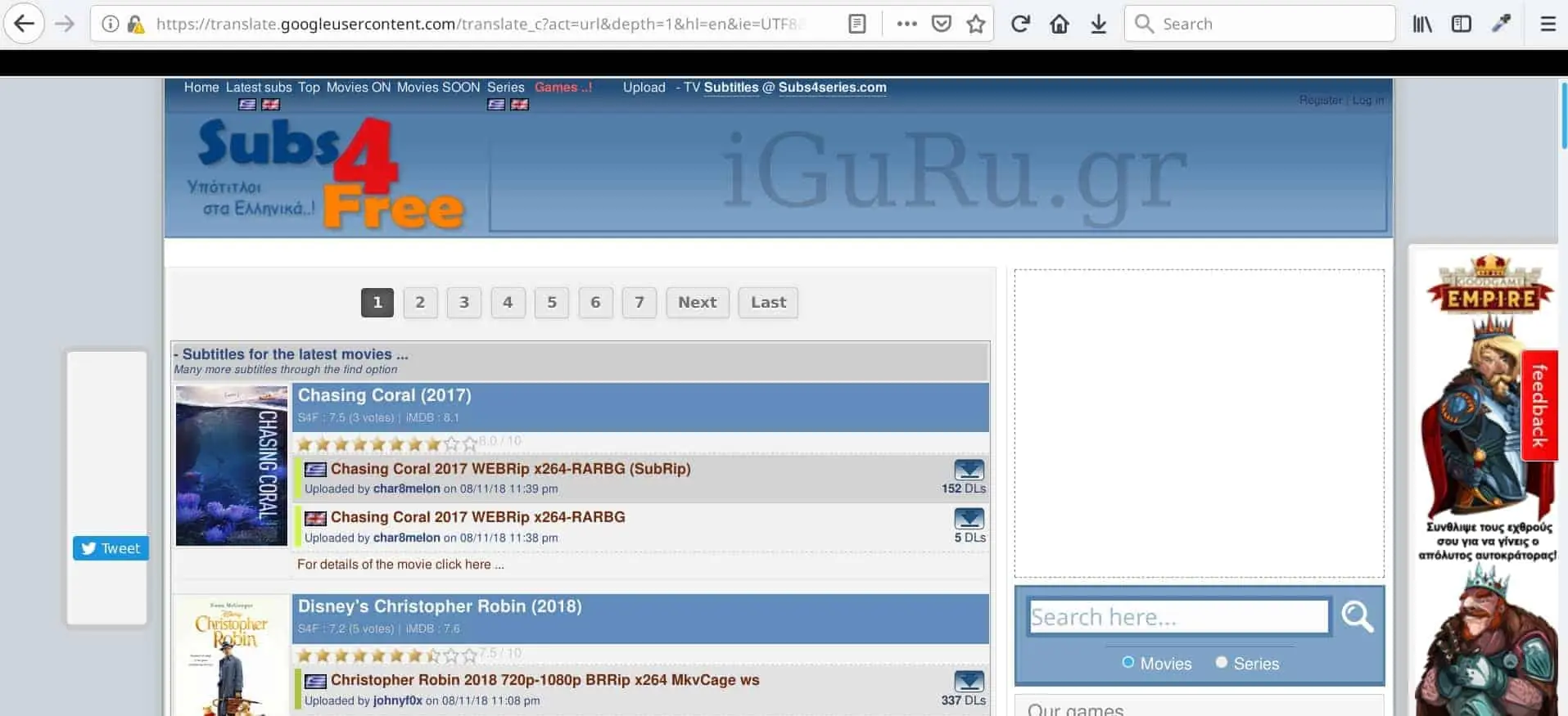
The cat-mouse online game between the Commission for the Notification of Internet Infringement of Intellectual Property Rights (EDPPI) and those who possess a little basic internet knowledge continues unabated from 2018 until today.
And obviously, as we wrote in 2018 , the people at EDPPI are not technicians or do not have a technical advisor or cannot do anything more than what they have already done or are making fun of us.
Because only "closing" can not be said new command to IPS to deny access on 38 websites, with indicative names subs4free, yify, thepiratebay, xrisoi, gamatotv, magico, 1337x and others.
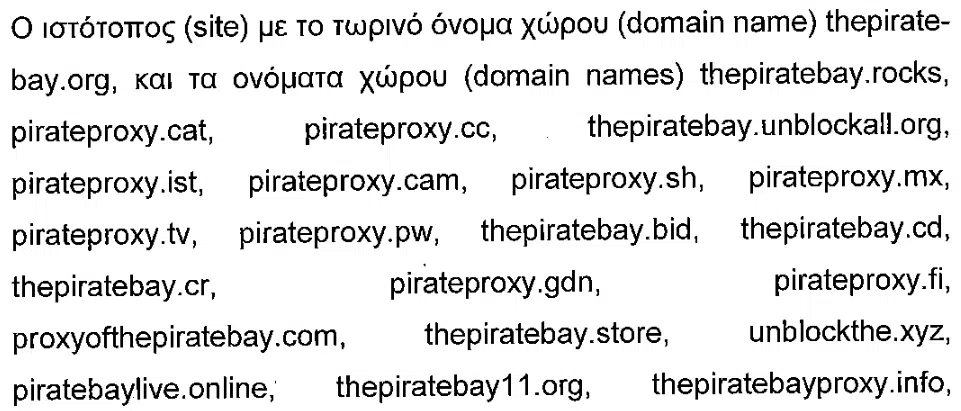
The same attempt was made in 2018 and then the response of these websites came after a day and urged users to use vpn or change dns. Indeed, both of these solutions worked and still work, even those who have tried it discover that they can see the illegal websites again.
But what are DNS and why are these websites playing with such a simple and free solution? The servers of most illegal sites are located in countries where piracy is allowed. In addition, these countries as well as the IP of these sites are not visible to users (and to the people of the Greek Anti-Piracy Commission) because the signal first passes through Cloudflare's intermediate servers and is hidden. The Cloudflare service as well as all these corresponding services, such as Cloudways, BelugaCDN, MaxCDN, Akamai, Incapsoula and a bunch of CDN Services , are intended to protect sites from DDOS attacks without hosting any of their data, but only temporary copies of their real websites.
Since illegal sites hide their real IP and are hosted in free areas, they are not in danger of being really closed. To access these sites, you need to know their domain name (i.e. their name). By typing it, your computer asks your provider to connect you to it, for example with Subs4free. The provider in turn asks the corresponding global servers to route the request to the IP of Subs4free. From there, other procedures are carried out that do not concern us for the time being as our issue is that the provider simply cuts off your request seeing that you are looking for a site banned by the EDPPI. In turn, the EDPPI has not asked anyone else to close the connection, but has only left spikes for the company Cloudflare, without any legal intervention.
As you understand, all you have to do is bypass the connection request from your provider to the illegal site and submit it directly to one of the global servers designed to match domain names and IPs, and the ban is over.
Who you ask to connect you to Subs4free is controlled by DNS. You can either configure the DNS of your operating system ( Windows , Mac, iOS, Android ) or, to avoid doing the same task over and over again, configure the DNS of your router. And so anyone who connects to your router, either wired with an ethernet cable or wirelessly with wifi, even your neighbor who steals your signal and you haven't noticed, will be able to watch Subs4free or Yify or 1337x normally. Even with your mobile phone for as long as you are at home, you will not have any problems, since it connects wirelessly to your router.
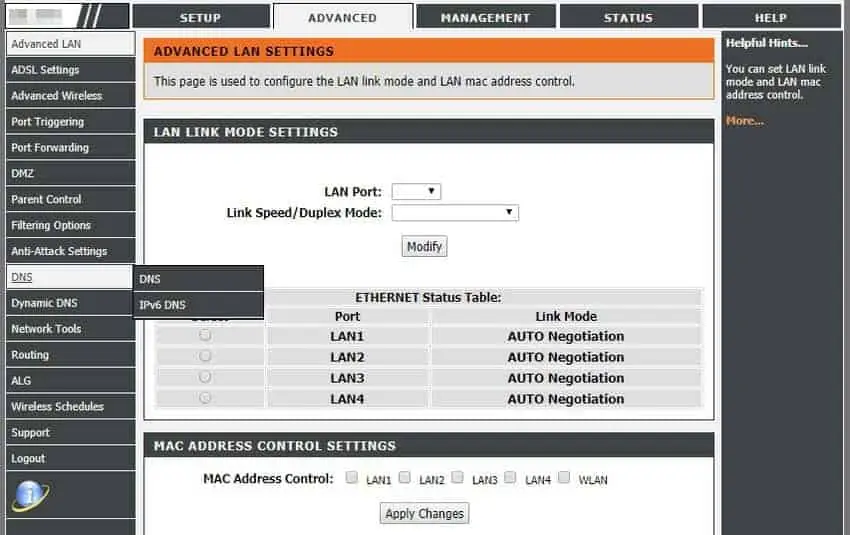
Enter your router settings from a browser by entering its internal IP, which is usually 192.168.1.1 (see from your router manual which one is yours) and navigate its menu until you find the DNS settings
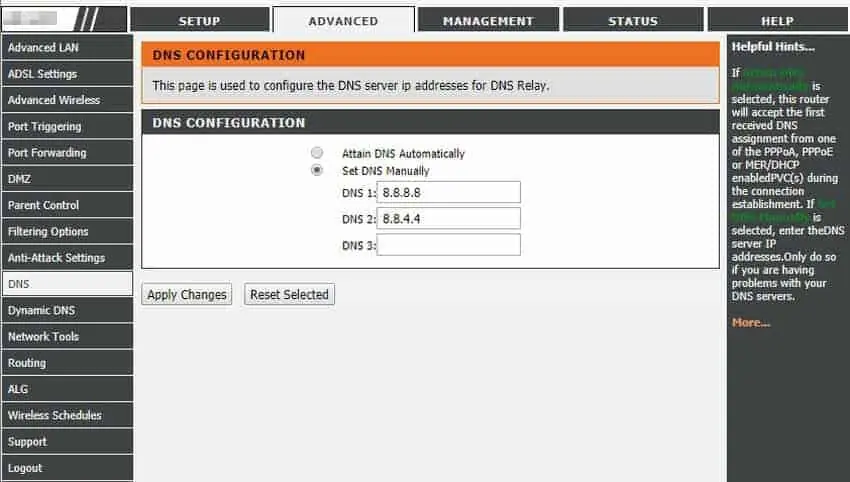
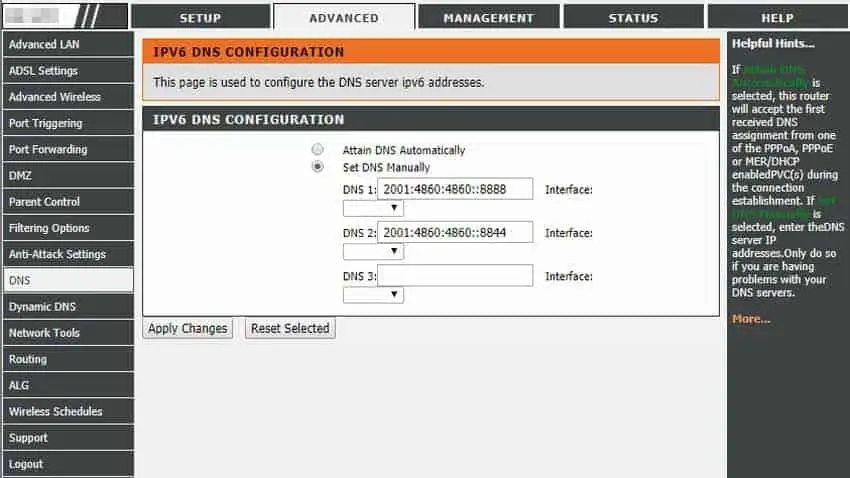
When you find them, simply change the DNS for both IPv4 and IPv6. For IPv4, go to the corresponding menu item (you may also see it as plain DNS, without the IPv4 indication) and deselect automatic DNS discovery. Automatic discovery simply leads you to your provider. Ask to set the DNS manually (Set DNS Manually) in both the DNS1 and DNS2 fields (it may list them as primary and alternative DNS) and respectively enter the IPs 8.8.8.8 and 8.8.4.4 that correspond to Google . Alternatively, you can enter 1.1.1.1 and 1.0.0.1 that correspond to Cloudflare.
Then go change the DNS for IPv6 as well. Uncheck the automatic DNS setting, click on the manual setting and put in their place 2001:4860:4860:0:0:0:0:8888 and 2001:4860:4860:0:0:0:0:8844 if you want to be with Google or 2606:4700:4700::1111 and 2606:4700:4700::1001 if you want to go with Cloudflare.
Now, regarding what we said above, that your neighbor is “stealing” wifi, there are two solutions. Either you let him have internet too since he doesn’t have money for his own (or his is temporarily down) or you make sure to read this article by iguru.



A very simple way is as follows:
Search Google for Proton VPN. Download and install the software. Keep the shortcut on the desktop or taskbar. Whenever you need to access a website that EDPPI does not allow, double-click the Proton VPN shortcut and when it opens, click Connect. Now you enter normally on the website you want. It takes 2 or 3 seconds!
Besides Proton VPN there are other "free" VPNs. Search Google for “Free VPN”.
I have a problem with EDPPI, what should I do so that it does not interfere with me, I cannot put the URL to my server and it does not connect
If anyone knows how to avoid them please let me know
Thank you
Put Tor Browser
the dns work
It just seems that with the DNS of Google and Clouflare, we do not bypass the EDPPI.
OpenDNS does not play either.
(all this for a specific site that played until a few days ago)
https://www.subs4free.club/