



Cosmonium is a free open source application for 3D astronomy and space exploration
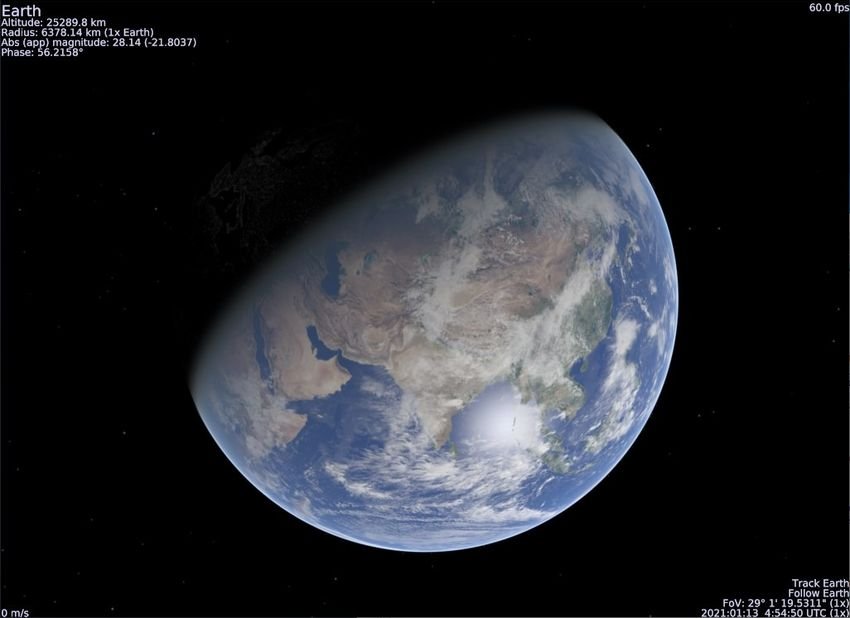
If you are enchanted with the planets and stars and do not have a telescope you can easily observe and learn about them through the Cosmonium. You can learn the mysteries of Space, explore galaxies far from the comfort of your own home.
Cosmonium is an open source free software based on the (now inactive) Celestia project to give 3D to the whole world of astronomy. With 200 MB download file it takes up about 527MB installation space. You will need a graphics card that supports OpenGL 2.1+. If your computer can handle it and you have storage, you can try HD and UHD textures. These textures need about 1,8 GB each to download.
The initial screen after installation it presents a view of the Earth. It displays in the upper left corner the parameters of the selected celestial object such as name, altitude, radius, while the frame rate is displayed on the opposite edge of the window.
Cosmonium uses the current time to view the day / night of the earth, ie the side of the earth that is far from the sun will look dark. And yes, you can rotate it to 360 ° view and that also works with galactic projection.
You can see other planets and stars. Press Enter and search for an object, e.g. Mars. Press Enter again and its statistics appear in the upper left corner, press the G key to go to the planet. This includes a nice moving motion that moves and magnifies the object.
Cosmonium is an application written in Python, available for Linux, macOS and Windows. You can download from here.

