



See how you can send messages to Facebook Messenger that will be deleted automatically after the time you specify.
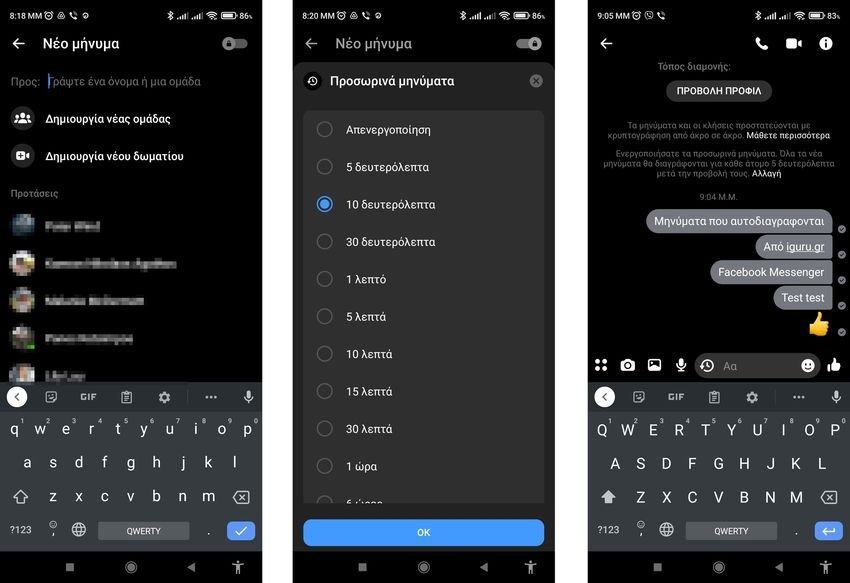
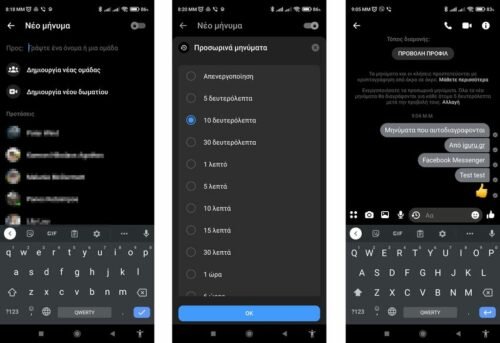
There may be times when you want to send confidential messages to Facebook Messenger, such as a password or a credit card number, etc. In such cases, you can send messages that disappear automatically after a while. See in this guide how to send a self-destructive message to Facebook Messenger via Android and iOS.
The specific function of messages which are automatically deleted, is referred to as Secret Conversation, and Facebook has introduced it from in November 2020.
Unfortunately you can't use it on the web version as it's only available on the Facebook Messenger app for Android and iOS. Therefore, if you want to send self-deleting messages on Facebook Messenger you will need to do the following from a mobile phone. Our example is on an Android phone, but you can do the same on iPhone. The steps are the same, with slight differences in interface user.
Step 1: Open the Messenger application on your mobile.
Step 2: Click the new message to compose a new message.
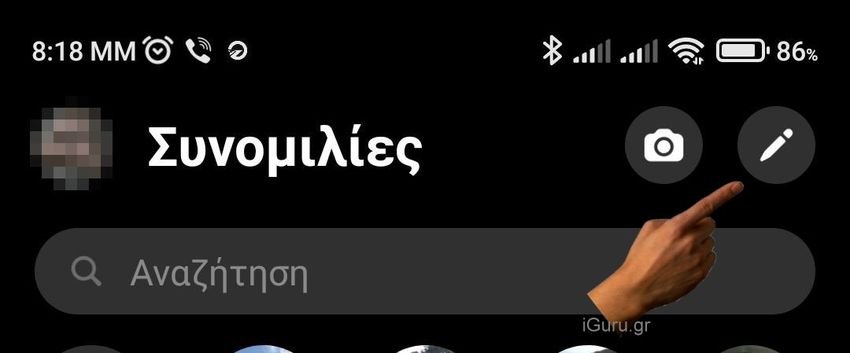
First, you need to open the Messenger application on your mobile phone and press the "new message" button that has a pencil, which helps you write a new message.
Step 3: Swipe to activate the Secret chat button.
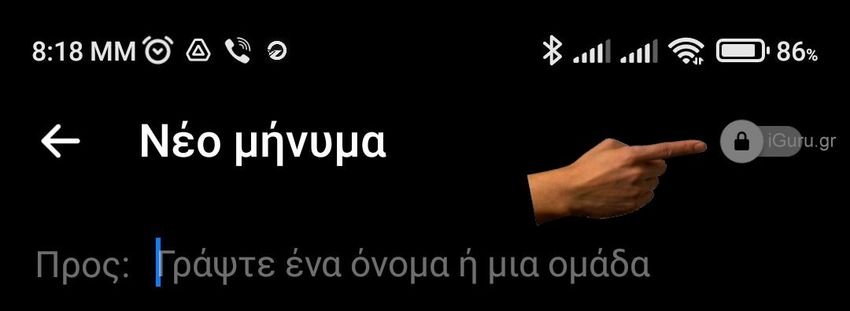
Once the next screen appears, drag the “Secret Chat” button to the top right corner, with its symbol locks.
Step 4: Select a contact to whom you want to send the self-destructive message.
After that, select a contact or friend from the list to which you want to send the self-destructive message. They can be more than one. You are basically keeping your conversation secret and you could have two open conversations with the same person. One secret and one normal.
Step 5: Click on the clock icon, select the time the message will be deleted and press the OK button.
Click on the clock icon visible at the bottom and select a time to display your memory. Whatever time you choose, Messenger will delete the message as soon as the recipient sees it. Your selection time counts from the time your friend sees the message. When done, press the OK button.
Step 6: Enter the message and send it.
After that, you can enter your message as you would on a regular Messenger screen and send it to your friends.
Notes:
- For your information, you can send text messages, pictures or voice that are destroyed or disappear. However, if the recipient doesn't see your message, it will stay there in Messenger until they do.
- Because the recipient will see your profile and the message below, he may not be able to read it if he does not know the trick and is "looking" to see what exactly he received. If he spends reading the profile and you have set your message to 5 seconds to delete it, it may never reach his eyes.

