

Would you like to know the IP address of a website? In addition to a bunch of online services that deal with this, there are also a few different commands you can use to find the IP of a website.

A good search service is on the website network-tools.com . But let's see how it is done directly from your computer, using the Command Prompt, or in Greek from the command line.
Open a command prompt window, and type the nslookup command along with the domain of the site whose IP you want to find.
In the command nslookup iguru.gr the results are
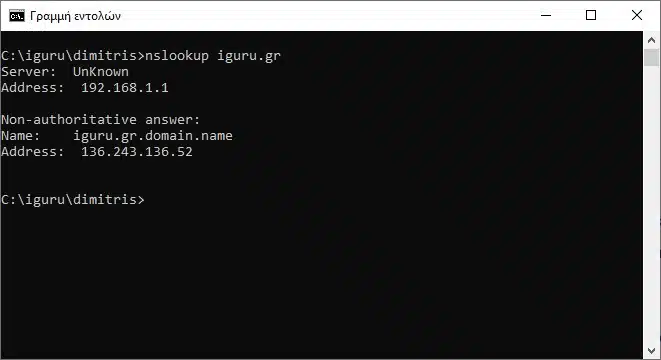
Another way to find the IP address of a website is to use the ping command . Run the ping command along with the website domain (shown in the image above) and you will see the IP in the results displayed.



0 reviews
iGuRu.gr