



Game Cleaner is one free program for Microsoft Windows devices that deletes temporary files and leftovers on Steam, Epic Store and uPlay gaming platforms.
The main idea behind Game Cleaner is not entirely new. Preletterthe likes of Atomic Cleaner, Tiki Steam Cleaner, and Steam Cleaner have offered similar features in the past. Or the bleachbit which is also open source.
Game Cleaner is a free software program for Windows that cleans temporary files, folders, packages installationς ή αχρησιμοποίητα data from supported stores.
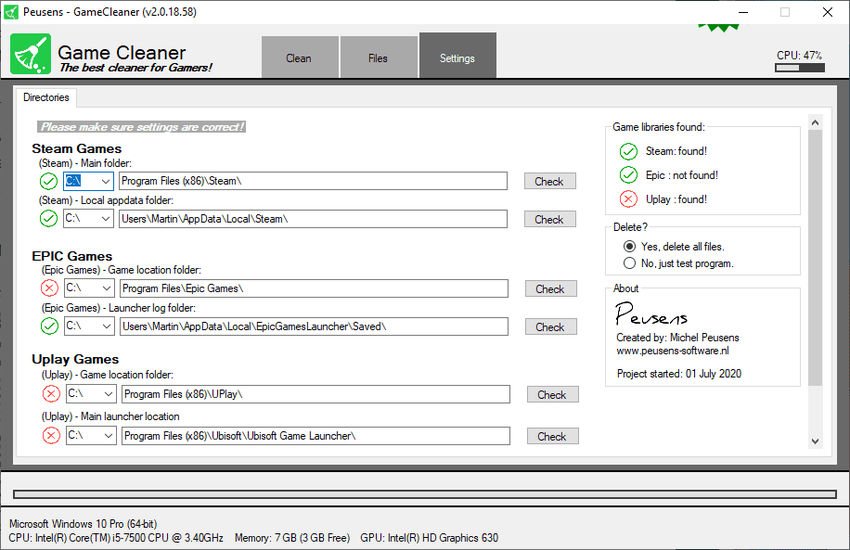
The program must be installed and requires the Microsoft .NET Framework 3.5 to work. Automatically detects installed toy stores provided they are installed in the default locations.
Of course you can modify the routes manually and activate the control button next to a route so that Game Cleaner can control the new route.
Steam cleaner supports most options from each service, such as:
Steam: crash dumps, cache, logs, specific file types, e.g. .CLOG, HTTP files.
EPIC: logs and caches.
UPlay: logs and caches.
Shared libraries: Direct-X, DotNet, PhysX, VCRedist.
Unreal Engine: Course error files.
Game Cleaner is a well-designed program for Windows to free up storage on devices with at least one of the supported game stores. If you tend to install and uninstall a lot of games and make extensive use of clients, you may need to free up space on your system.

