

Kaspersky experts have detected an email phishing campaign in which criminals use links that appear to be legitimate Microsoft services to redirect users to fake websites or trick them into downloading malicious software . From August 1 to September 18, Kaspersky solutions blocked more than 31.000 emails containing such links.
Earlier this year, Kaspersky reported on a phishing campaign in which attackers exploited Microsoft 's authentication mechanism . New analysis by Kaspersky experts reveals how cybercriminals are leveraging the same technology in different ways to trick users. Specifically, they send emails that appear to be official Microsoft communications and invite recipients to either update their login details in the service or sign electronic documents.
To redirect users, attackers first create a Microsoft account and log in to the Microsoft Entra admin center . They then go to the application registration section and create a new application. During registration, the service allows the definition of a redirect URI ( Uniform Resource Identifier ), i.e. the address to which the Microsoft Entra authentication server directs the user after successful authorization. In this field, the attackers insert a link that leads to their malicious website. They then send emails containing Microsoft redirect links , which incorporate the registered application identifier ( Application ID ) and the redirect URI they have defined.
This way, when users click on the link, they are redirected to a website designed to either steal personal data or trick them into downloading malware.
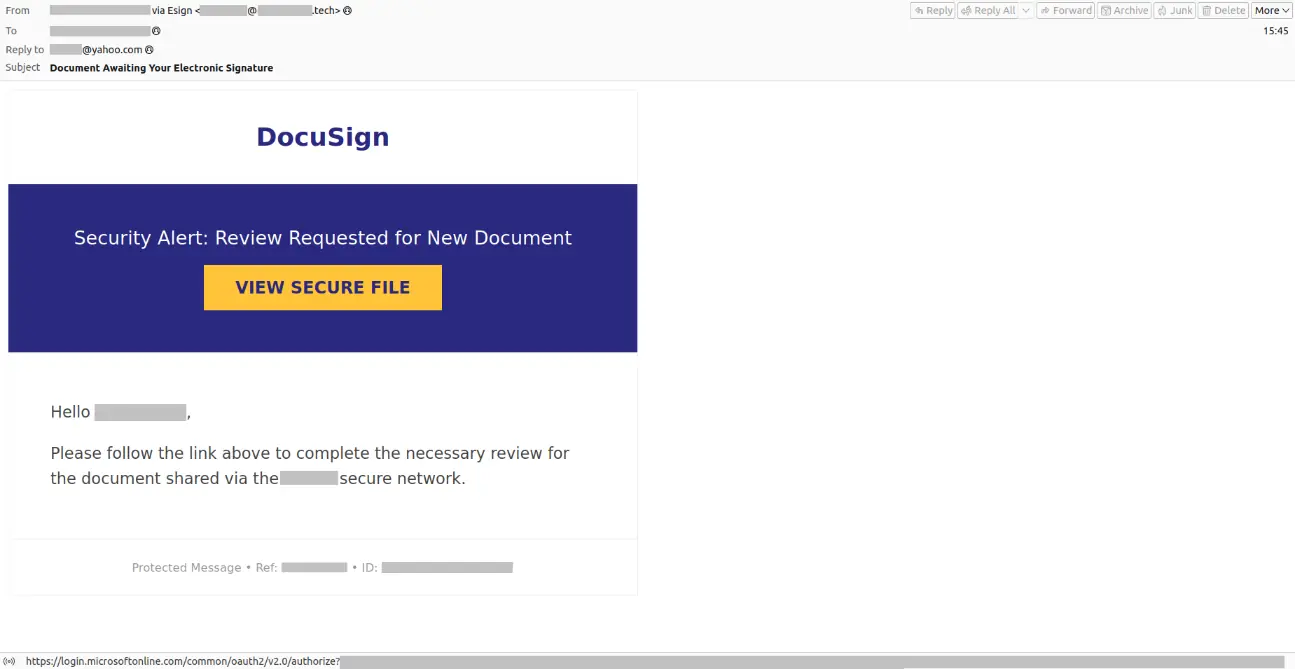
Example of a phishing email
Through the Microsoft Entra admin center , the attackers also found a way to embed malicious content into legitimate service notifications. To do this, it is estimated that they would need to purchase the cheapest license available or activate a free trial.
The attackers enter a misleading message in the name field of the Overview page and then create virtual users in the Users section , using fictitious email addresses , display names, and passwords. They then log in to the Microsoft My Account portal with the new login details of one of the virtual users and add the victim's real email address as a backup email address to which password reset messages are sent.
As a result, the victim receives a verification code they did not request, while the scammers' misleading message appears in the subject and signature of the email.
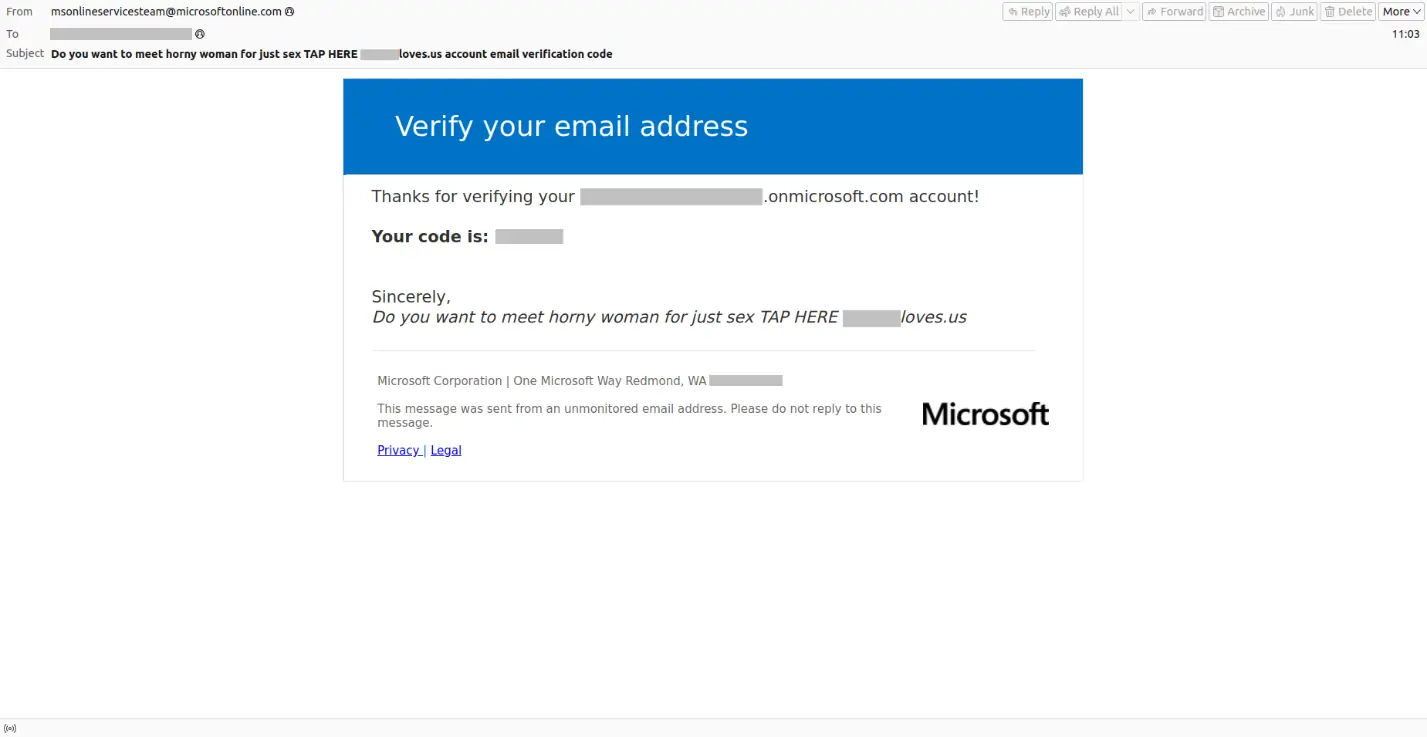
Example of an official email containing an unsolicited verification code, as well as a message from the attackers
“This is not the first time we’ve seen that deceptive links and messages aren’t just sent by actors pretending to represent a legitimate company, but are distributed through official services. This lends the messages an extra layer of credibility, making the scam even harder to spot. The usual signs of a phishing attempt aren’t as obvious in these cases, making it difficult for users to recognize the threat without the help of specialized tools. We recommend that users install a security solution with strong anti- phishing capabilities , which provides automatic protection even against highly sophisticated attacks,” comments Andrey Kovtun , Team Leader


0 reviews
iGuRu.gr