

Η information KB5058379 of Windows 10 they do Windows boot into Windows Recovery and require the BitLocker key. There are reports that the installation of KB5058379 starts, but ends with the screen “Enter the recovery key to get going again (Keyboard layout: US)”. There is also a text field there to add the recovery key. However, in some cases a BSOD appears.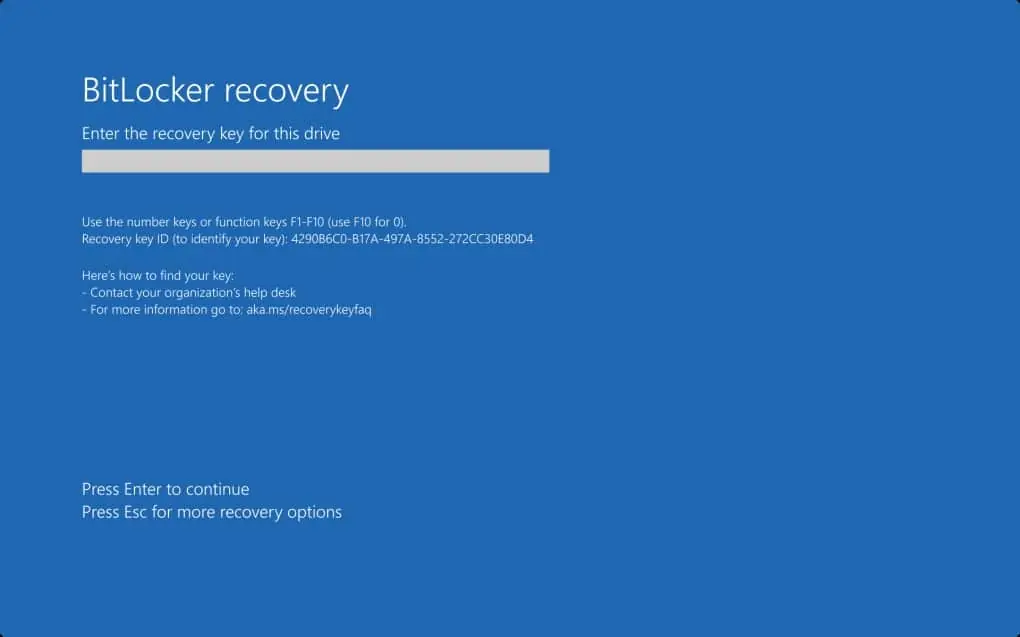
It's unusual for BitLocker recovery to be enabled automatically unless you make a change to your hardware or BIOS settings. However, several users are reporting that they are prompted to enable BitLocker recovery (Windows Boot Recovery) automatically after installing KB5058379, which is available via Windows Update.
Windows 10 KB5058379 is a mandatory security update that is being released for everyone, and you have no choice but to install it.
Microsoft's support document states that the company is not aware of any issues. However, user reports say otherwise:
In a thread on Reddit , dozens of users mention BitLocker, but in addition to that, they also report the Blue Screen of Death (BSOD).
If you see any of the above after installing KB5058379, follow these steps:
You need to reboot into BIOS/UEFI, which can be done by pressing a key after powering on, but the keys vary across OEMs. On most Dell/HP/Lenovo: press F2, F10/F12 or Esc immediately after powering on to enter BIOS/UEFI.
In the BIOS, look for the “Security” option, open the “Virtualization” option or “Advanced CPU Settings”.
Disable the “Intel TXT” option. It might also be listed as “Trusted Execution” or “OS Kernel DMA Support.”
You can leave the “VT for Direct I/O” (or “VT-d”) option enabled.
Save the changes and close the BIOS.
This will allow the update to complete the installation and you will not encounter any BitLocker Recovery or BSOD issues.



Linux and away from all that. I calmed down.