



If you're running Linux and envy Windows' Task Manager, you can install Mission Center and you'll have a beautiful Windows-like action and task console.
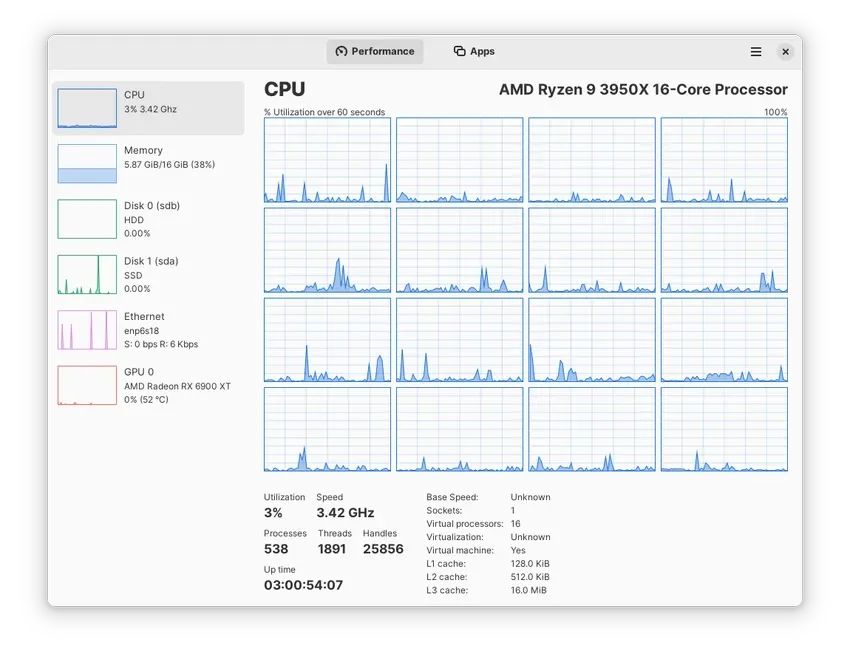
The Mission Center is one application managementof tasks for Linux users, open code, with a beautiful design similar to the Windows Task Manager.
Although Linux users tend to pick pimples with other operating systems, a nice GUI application is always welcome, even if it's stolen from Microsoft.
Mission Center is a task manager for Linux, built in Rust, supporting GTK4 and available at Flatpak for easy installation.
Visually, it is very, very close to the Windows 11 Task Manager, although it differs in functionality. But the basics are all there, including Performance, GPU usage, CPU and GPU temperatures, and of course, full system process information.
Graphics are handled by OpenGL, so that resource usage is minimized and you have some control over how often they are updated.
On the other hand, we could say that tools like this are a nice way to make it easier for people who decide to try Linux, having spent their whole lives using Windows. It is instantly familiar and easy to use.
You can find the Mission Center on Flathub or in their official website.

