We have been using iGuRu.gr since it went online permalinks which contained her date and the title of the publication, such as the following link:
https://iguru.gr/2021/06/06/sample-post/
Today we decided to remove the date and leave only the title of the post.

Why
Because there is no reason anymore. Google used to ask for permalinks that contained the date and a random number to display the site's posts on Google News. Later he got back the random number, and shortly after he got back the date. The date is already in the structured data in each post.
Below we will see how you can change the type of permalinks.
You will need a coffee, and the Redirection plugin.
From the Settings / Permanent Links page (https://domain.name/wp-admin/options-permalink.php) change the links to the format you want:
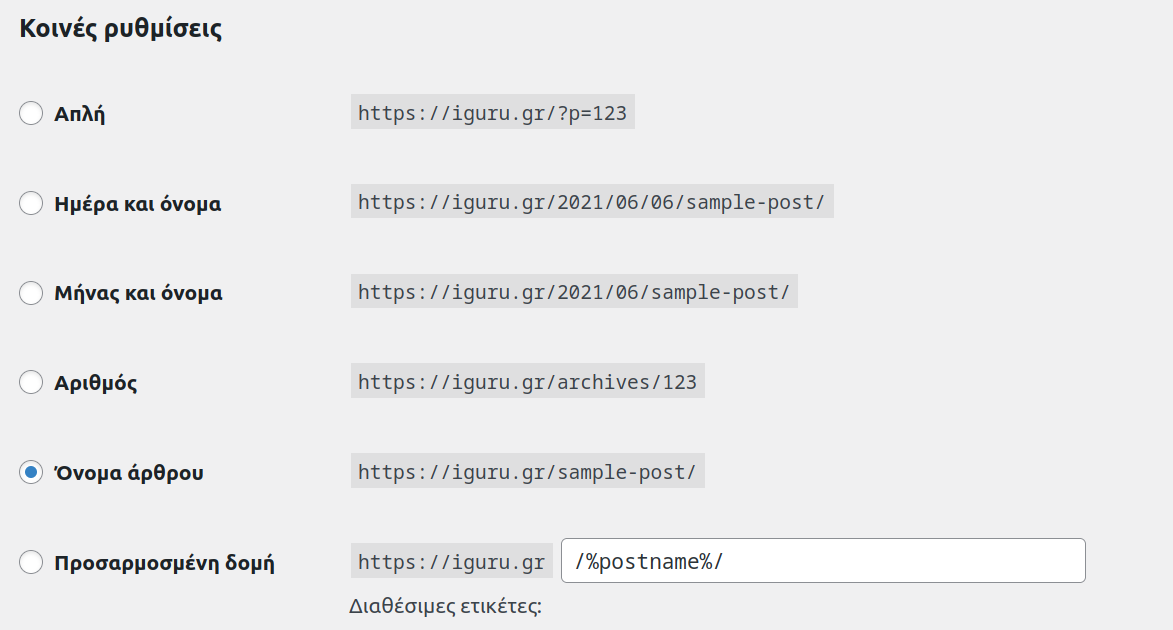
In the case of iGuRu.gr we changed from "Day and name" to "Article name".
After the change you will need to make some changes. First the dianetwork it's full of your articles with the old links, so in case someone clicks on a link a 404 will appear.
So install and open it Redirection plugin. You should add one redirect που θα κάνει την δουλειά για όλα τα links που υπάρχουν στην base your data.
We will use regex:
Source URL: ^/\d{4}/\d{2}/\d{2}/(.*)
and
Destination URL: /$1
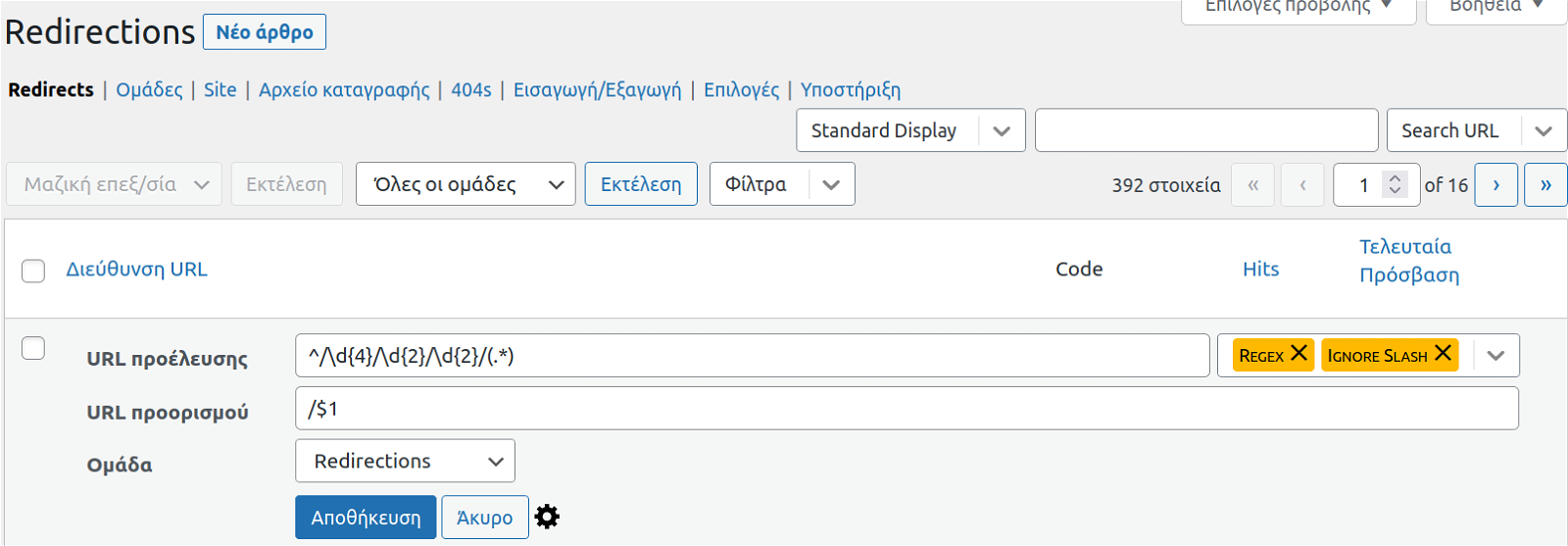
In case you use a different permalink format from "Day and name" see also the following regex:
Redirect date, name, and category permalink
/ 2020/01/02 / category / post-name ⇒ / post-name /
Source URL: ^/\d{4}/\d{2}/\d{2}/.*?/(.*)
Destination URL: /$1
See above from here
Finally, before closing, let us mention that if you are using xml sitemaps, you will need to disable and enable the plugin to create new links. This will be very useful for indexing Google. If you do not do it your sitemap will contain the old links.
Caution: If you are interested in your Google ranking, do not try to change permalinks.