In our previous post we mentioned that it will be impossible to run it Google Chrome on Windows 10 S. Google is one of the few large companies that does not develop applications for Windows 10, although there is a clear demand for various programs that are not available in the Windows Store, such as Google Chrome or Gmail.
Google's decision to stay away from Windows 10 may be related to its limitations Microsoft that affect browsers published to the Windows Store. But as it seems, Google Chrome can finally reach Windows 10 without the help of the company that develops it.
Citrix has released an app specifically for Windows 10 S, via the Windows Store. This application makes it possible to implementation Win32 software, on the Windows 10 S operating system that only runs apps from the Windows Store.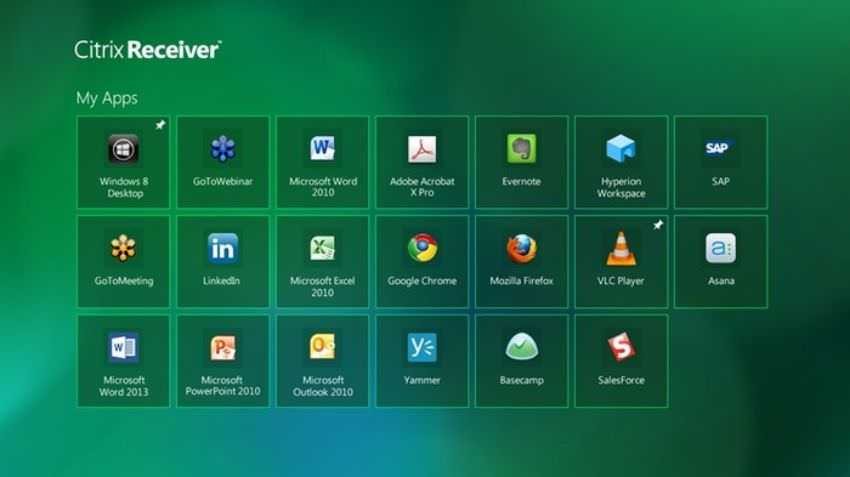
It's called Citrix Receiver, and it's a universal application, so it works not only on computers but on smartphones and it even claims to support the Continuum in Windows 10 Mobile. This means you can run Win32 software in Continuum mode, which will allow users to start Google Chrome when working on a larger screen using their phones to power the system.
"Windows 10 S is a lock operating system which runs applications provided only by the Windows Store. "This means that many existing Win32 applications that have not yet been shipped to the store will not run locally on Windows 10 S," Citrix said in a blog post today.
"The best way to access these critical Win 32 business applications is through Citrix XenApp and XenDesktop. Citrix Receiver opens the door to run Win 32 applications on Windows 10 S. This way you can run your applications that are critical to your business and gives you the flexibility to run any other browser such as Chrome or other browser in the browser, simply, safely, and economically, in Windows 10 S. ”
Remember that Windows 10 S is an operating system aimed specifically at the education market and is limited to applications published in the Windows Store. This means that Win32 software cannot run on this version of the operating system unless it is released through the Store or ported with Project Centennial.